
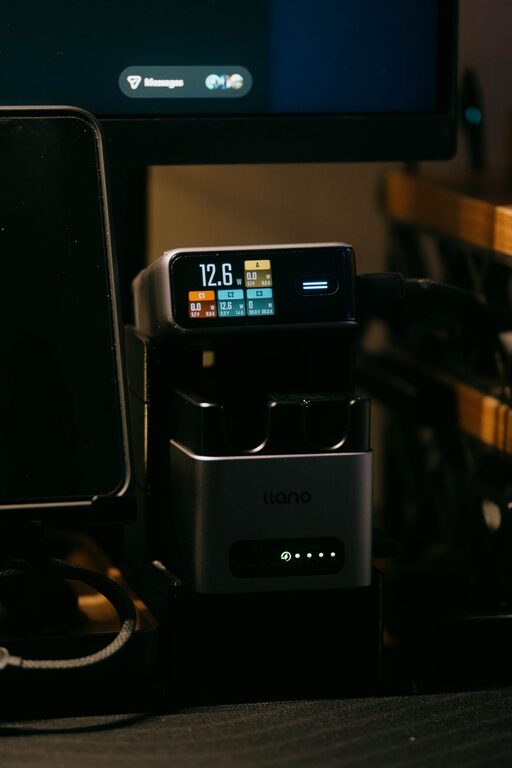
How to Set Up a Convenient Charging Station for All Your Devices
Setting up a dedicated charging station for your devices is a simple way to keep your space organized and ensure all your gadgets are ready to use when you need them. Whether you have smartphones, tablets, wireless earbuds, or smartwatches, having one spot for charging reduces clutter and saves time.
In this guide, we’ll walk you through everything you need to know to create an efficient charging station in your home or office.
Why Create a Charging Station?
Before diving into the setup, it helps to understand the benefits of having a charging station:
– Organization: Keeps devices, chargers, and cables neatly arranged.
– Efficiency: Charges multiple devices at once in one location.
– Convenience: Eliminates the hunt for chargers or outlets.
– Safety: Reduces the risk of cables becoming tripping hazards or damaged.
Step 1: Choose the Right Location
The first step in setting up your charging station is picking the best spot. Here are some things to consider:
– Accessibility: Choose a location you use often such as a desk, entryway table, or bedside.
– Power source: Make sure the spot has access to a reliable power outlet.
– Space: Look for an area with enough surface space for your devices.
– Ventilation: Avoid enclosed spaces that can cause devices to overheat during charging.
Popular spots include kitchen counters, home offices, or living room shelves.
Step 2: Select a Charging Device or Hub
Depending on how many devices you want to charge and their types, pick a charging solution that fits your needs:
Multi-Port USB Chargers
These chargers have several USB ports allowing multiple devices to plug in simultaneously. Look for:
– Sufficient ports for your devices (e.g., 4, 6, or more)
– Fast charging capabilities
– Compatibility with popular device brands
Wireless Charging Pads
For devices that support wireless charging, consider adding a charging pad or stand to reduce cable clutter.
Charging Stations with Organizers
Some products combine charging hubs with compartments or stands designed to hold devices upright, making it easier to use them while charging.
Step 3: Organize Your Cables and Devices
Keeping cables tidy is key to an effective station. Here are tips for cable management:
– Label cables: Use small tags or colored tape to identify cables quickly.
– Use cable clips or ties: These keep cords from tangling and falling off surfaces.
– Keep only needed cables: Remove or store away extra or rarely used cables.
– Wrap excess cable: Coil any extra length neatly without sharp bends.
Place devices in stands or designated areas to prevent overlapping or damage.
Step 4: Set Up Power Safely
Safety is important when handling multiple devices:
– Don’t overload power strips or outlets.
– Use surge protectors to guard against voltage spikes.
– Avoid placing devices on soft surfaces that block vents.
– Make sure cords and plugs are in good condition with no fraying.
Step 5: Personalize and Maintain Your Station
Make the station fit your style and keep it functional:
– Add labels or signs to remind family members where devices belong.
– Include a small tray for accessories like earbuds, memory cards, or styluses.
– Regularly check cords and chargers for wear.
– Clean the area to remove dust and prevent buildup.
Bonus Tips for an Efficient Charging Station
– Charge overnight: Set devices to charge during the night to have them ready by morning.
– Use smart plugs: Automate outlet power to turn off when devices are fully charged.
– Keep a backup power bank: For charging on the go when you don’t have access to outlets.
– Upgrade cables as needed: Replace worn cables promptly to avoid slow charging.
Summary
Creating a charging station helps keep your devices powered and your space free from clutter. By selecting an ideal location, choosing the right charger, organizing cables, and practicing safe power habits, you can enjoy a simple and effective setup that meets your daily needs.
Start with a small area and adjust as you add more devices or family members join the charging routine. A well-planned station saves time and keeps everyone connected.
